


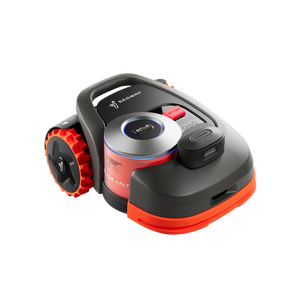
Navimow H1 is IPX6 waterproof, so it can be washed with a garden hose. However, mowing in the rain can damage the grass and leave marks on the lawn. Navimow H1 is therefore equipped with a rain sensor. When it starts to rain, it stops mowing and returns to the charging station.
"To ensure the Navimow H1 stays within the designated area and avoids accidents when the GPS signal is weak, it is recommended to maintain a gap of at least 15cm between the Navimow H1 and the real boundary when creating a virtual boundary.
Please note that the Navimow H1 will leave this gap area uncut during mowing."
"To power off your Navimow H1, first remove it from the charging station and then press and hold the OK button until it shuts down.
To power it on, place the Navimow H1 back on the charging station, or short press the OK button.
Please note that the Navimow H1 cannot be powered off while it is on the charging station."
We recommend not replacing the battery yourself, as this could void the mower's warranty. If you encounter any battery issues, please reach out to your dealer or seller for assistance.
The IDLE status on your Navimow H1 indicates that the mower is not currently in mowing mode. Once the Navimow H1 starts mowing, the IDLE status will automatically disappear.
"If the charging station displays a red light, it indicates that there is no communication between the mower and the charging station, follow the step below to resolve the issue:
1. Check Mower Status:
2. Ensure that the mower is powered on or properly connected to the charging station.
If the mower is connected to the charging station and the red light remains on, this may indicate a hardware issue. Please contact your seller for inspection and repair services. "
"Please go to Settings>Mower>Mowing >Map Management>Choose the zone you want to edit>Edit>Edge Mowing. Enable edge mowing for better edge coverage. Please note that the 15 cm area left out during the mapping process will not be mowed.
If the problem persists, please contact navimowsupport-us@rlm.segway.com for help and send the following information:
1. The time when the issue occurred.
2. Photos of the environment around the missed edge.
3. The serial number (SN) of your mower."
After - Sales Support
Email: navimowsupport-us@rlm.segway.com
TEL: +18339131131 Mon.-Fri.09:00-18:00(ET)