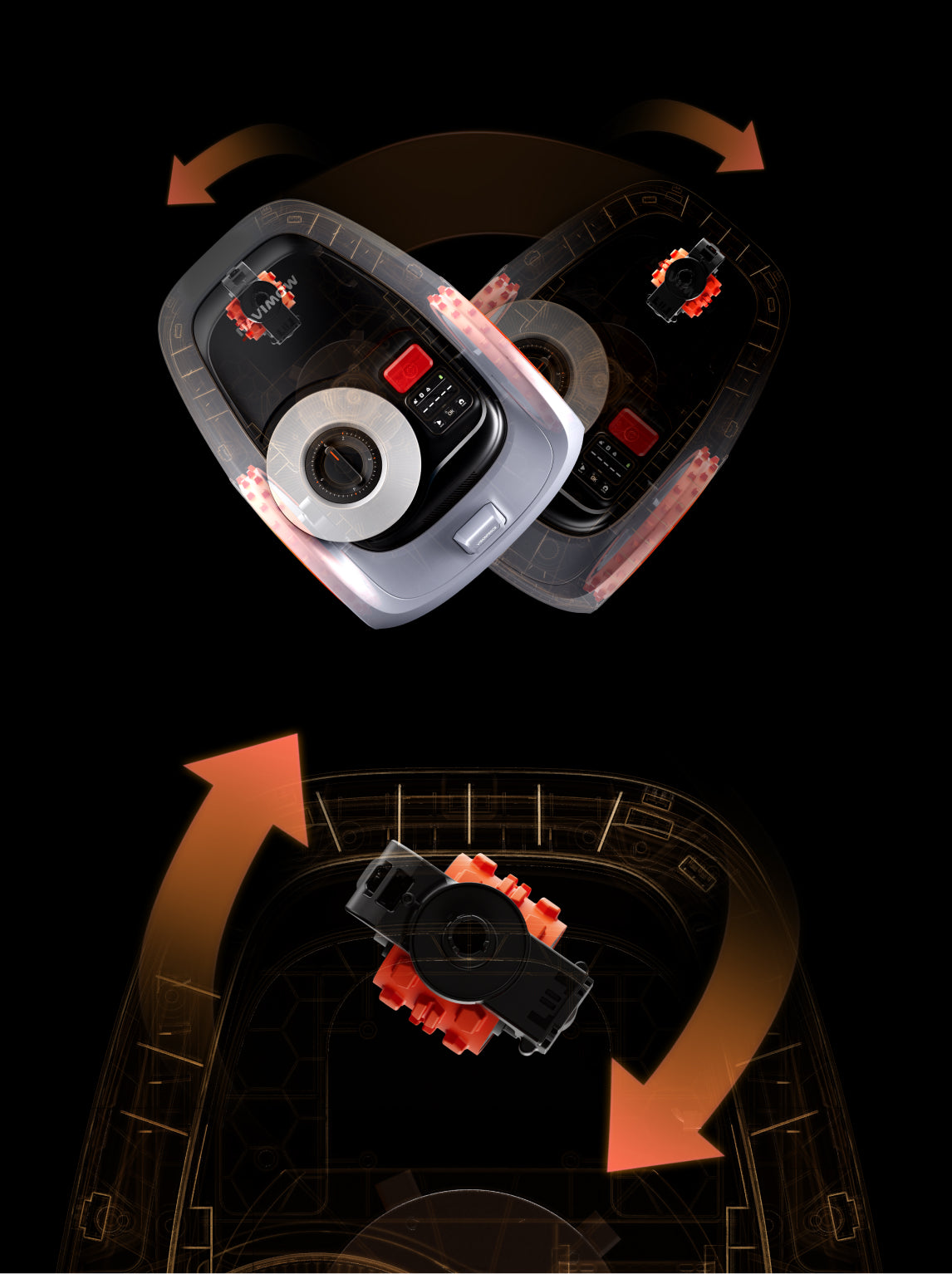
Navimow lawn mowers are designed to conquer slopes. They can mow grass on inclined surfaces without any hassle.
But if your Navimow slips on slopes, you can do a few things to prevent it. We will discuss the common reasons for the issue and share all the possible solutions. You can resolve the issue yourself and make your Navimow work on slopes.
Mow When the Grass is Dry
Wet grass is slippery. No matter which lawn mower you use, it will slip on slopes because of low traction.
If you are using your Navimow mower on wet slopes, then slipping is perfectly normal. It might slip more or less while mowing, depending on the mower you have.
Due to water on the grass, the mower’s wheels slip. They can’t maintain enough traction to work on a slope without any hassle. That’s why you should always mow when the grass is dry. Not only is it beneficial for the mower, but also for the lawn.
Before mowing, you must make sure the grass is dry enough to mow, especially the grass on slopes. Check the visual appearance of the grass. If you see tiny droplets of water and reflection, it means the grass is wet. You will also notice a deep-green hue.

Walk 10-15 feet on the grass. If the grass is wet, you will see grass clippings sticking to your pants and shoes. The adhesion of these clippings shows how wet the grass is. You can also check the flexibility of grass blades. Take a grass blade between your fingers and bend it. If it is too flexible, it means the grass is wet. But if it snaps or breaks, the grass is dry enough to mow.
You can schedule the mower when the grass is dry. For morning dew, you should wait till 10 am. If you have gently sprinkled the lawn, you should wait 4-6 hours. But if there is too much water, you need to wait longer.
In the case of drizzle, 4-6 hours are enough. However, if it was heavy rain, you may need to wait at least 24 hours. Once the grass is completely dry, your mower is less likely to slip on slopes.
Further reading: How to tell if the grass is dry enough to cut?
Level the Surface
Sometimes, the slope is actually bumpy and uneven. There are bumps and dips everywhere. These reduce the speed of the mower while mowing on the slope, and also increase the chances of slips and falls.
For better agility and traction, you should level the slope surface. You only need to get rid of the bumps and divots. After that, the mower will be able to handle the slope without any issues. It will maintain enough speed and traction to mow horizontally and vertically.
Check Slope Conditions
Navimow lawn mowers have distinct capabilities to handle slopes.
Navimow X4: Can safely operate on slopes up to 84% (40°).
Navimow H2: Can handle slopes up to 45% (24°) and up to 25% (14°) along the boundaries.
Navimow X3: Works on slopes of up to 50% (27°) in the area and up to 25% (14°) near boundaries.
Navimow i2 LiDAR: Handles slopes up to 45% (24°) and up to 25% (14°) along the boundaries.
Navimow i2 AWD: Can handle slopes up to 45% (24°).

You need to check whether the lawn mower you are using is capable of mowing the slope in your lawn.
You can measure the slope quickly.
Step 1: Place a stake on top of the slope and another downhill at a measured horizontal distance, such as 5ft or 10ft.
Step 2: Tie a string to the uphill stake at ground level and stretch it to the downhill stake and tie it. Make sure the string is perfectly leveled using a line level.
Step 3: Measure the vertical distance or rise at the downhill stake. Suppose the Run is 10 ft, and the Rise is 1ft. You can calculate the slope using the following formula.
Slope = (Rise / Run) x 100
Slope = (1/10) x 100
Slope = 10%
Once you have measured the slope in your lawn, you can easily figure out whether your mower can handle the slope or not.
Some Navimow lawn mowers have different capabilities to handle a slope within the lawn and along the boundary. For instance, the Navimow H2 can handle slopes up to 45% (24°), but along the boundary, it can handle only 25% (14°).
In such cases, you have to make sure the slope at the boundary does not exceed 25% (14°). But if the slope is steeper than that and in the middle of your lawn, you can create a zone and keep it away from the boundary.

If the slope is at the end of your property, keep a distance from the slope and the zone’s boundary so that the mower does not mow that area to prevent slipping. Leave the small boundary area and maintain it using a string trimmer.
Enable Traction Control System (TCS)
Some Navimow robot lawn mowers have the patented Traction Control System (TCS) technology. While mowing, it dynamically adjusts the wheel torque to prevent slipping on low-traction lawns.
Therefore, the mower adjusts everything according to the lawn and ensures it does not slip. If your mower has the TCS technology, you can enable it in the Navimow application for better performance on slopes.
Step 1: Open the Navimow app.
Step 2: Go to Settings and look for the Traction Control System (TCS) option.
Step 3: Tap on the toggle switch to enable it.

Still Facing the Issue? Contact Navimow Support
If you have tried the above solutions, but the mower is still slipping on the slope, you can contact Navimow support at “navimowsupport-us@rlm.segway.com”
Please provide the following details:
- Serial Number (SN) for your Navimow X4
- Photos and videos showing the mower slipping
- Time and date when the issue occurred
Final Words
Navimow lawn mowers can handle slopes, but their handling capability depends on the type of mower you have. Make sure your mower can handle the slope you have in your lawn. Always mow when the grass is completely dry and get rid of bumps and divots. For extra traction and control, you can also enable the Traction Control System (TCS) from the Navimow application. If slipping persists, you can reach out to Navimow support.