Navimow mowers are designed to mow corners and edges, but if they are skipping those areas, there is something wrong.
It could happen because of multiple reasons, such as mapping issues, hidden obstacles, and long grass. You have to figure out the root cause to fix the problem.
In this article, we will discuss common reasons why Navimow mowers skip corners and edges. We will also share some effective solutions so that you can enjoy flawless automated mowing.
What “Skipping Corners” Usually Looks Like
If you realize any corner in your lawn is left behind after the lawn mower has completed the job, it means the lawn mower has skipped the corner.
You can see the visual difference between the height of the grass in the middle of the lawn and around the corner.
It’s common in inner corners, sharp turns, small triangular pieces, and curved patches. The mower will show mowing progress as completed, but these areas are deliberately missed.

The app shows the progress as completed after missing some areas because it is based on the percentage of reachable and mowable areas. Once all possible areas are mowed, you see “Completed” in the progress. The app does not consider 100% of the total mapped lawn area when it comes to progress.
Why Navimow Mowers Skip Certain Corners and Edges
Sharp Turning Angle
The primary reason for Navimow mowers to skip corners is a sharp turning angle. If the angle at the corner is less than 90⁰, Navimow mowers will skip it.
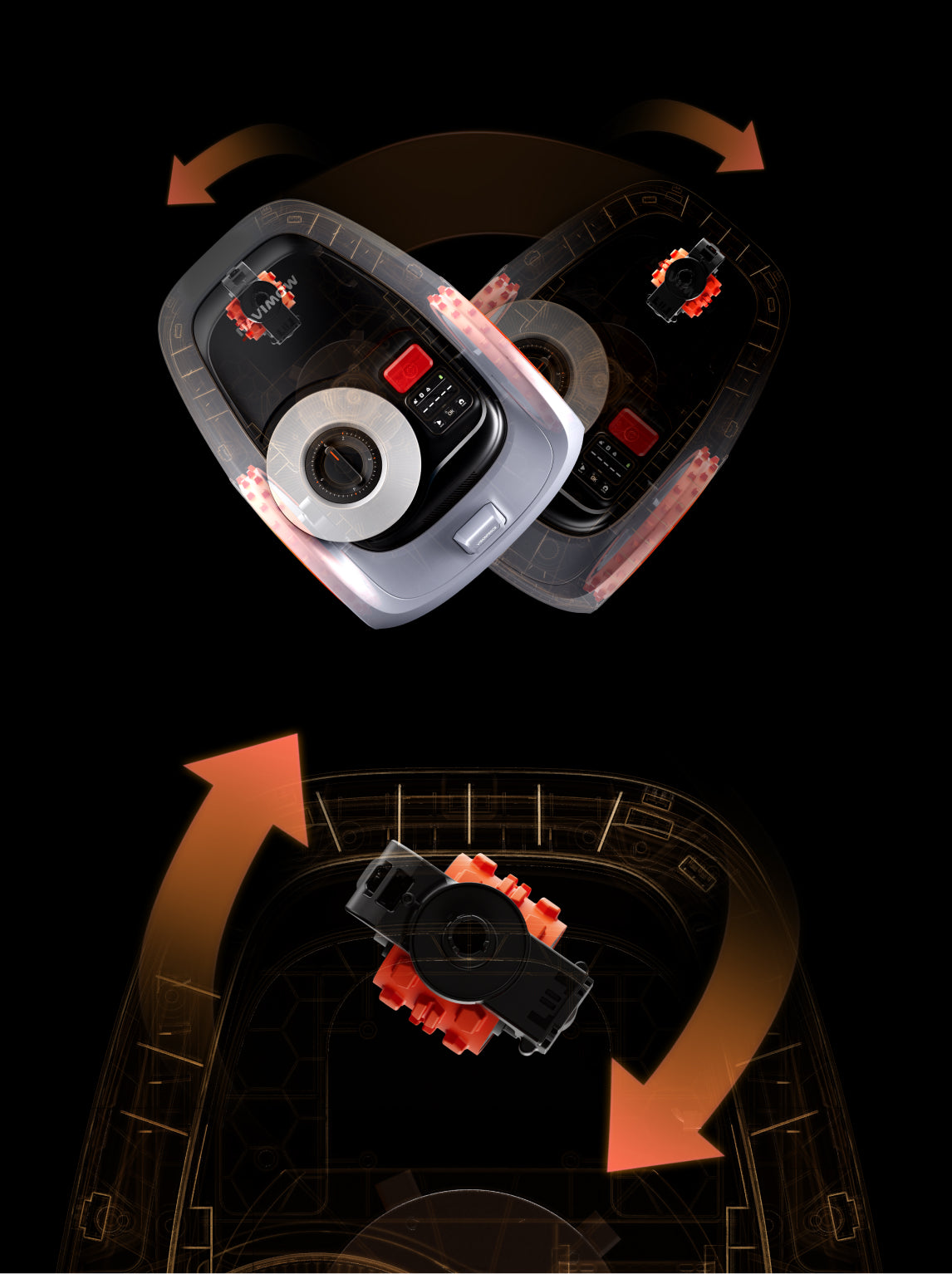
When the corner is less than 90⁰, the mower cannot make a smooth turn. If it needs to mow the area, it will have to stop and go back and forth to cover the area. Thus, for a smooth turn, it leaves some of the area at the corner.
This is a common mistake that people make while mapping. It’s recommended to follow a straight line and ensure the corners are smooth with an angle no less than 90⁰.

Hidden Obstacles
Sometimes, obstacles aren’t clearly visible. There could be a hanging branch from a flowerbed, a small stone in the grass, a water hose, etc.
The mower detects these obstacles instantly and reroutes in no time. It leaves the area and continues mowing. That’s why some corners and edges are missed.

Tall Grass
Navimow lawn mowers consider extremely tall grass as obstacles. If the grass near the corner is overgrown, they will not mow it.
Compare the grass height with other parts of the lawn. If it is too long, it means you have found the root cause.
How to Fix Navimow Skipping Corners
Navimow mowers can mow corners and edges with perfection. If they are skipping them, you can fix the issue on your own.
1) Edit the Map
If the corners are less than 90⁰, it means you have to edit the map in the Navimow app.
Step 1: Open the Navimow app. Go to Settings > Map management.
Step 2: Now, you select the zone you want to edit. Tap Edit.
Step 3: Once the map is opened, select the starting point a few feet before the corner. Reach there and tap “Reached Starting Point.”
Step 4: Now, you need to draw the straight light again. This time, while creating the corner, make sure it is a bit more than 90⁰.
Step 5: Once done, tap Save.
2) Turn on Edge Mowing
Edge Mowing is a special feature in Navimow mowers. It allows them to mow extremely close to the edges. They use AI-powered cameras, LiDAR, and other sensors to detect physical boundaries dynamically.
When this feature is enabled, the mower automatically mows along the edges at the beginning of every mowing task. It means that before mowing the middle area, it covers the edges first. It could pass through the perimeter of the lawn as well as the edges of Off-Limit Islands 1-3 times, and then start mowing the area inside.
By enabling this feature, the mower does not miss any edges or corners. In fact, it pays special attention to those areas at the beginning, and then it mows freely in the bounded area.
Step 1: Open the Navimow app.
Step 2: Go to Settings > Map management > Edit.
Step 3: Enable Edge Mowing.

3) Add a VisionFence™ Off Zone
With the help of VisionFence™, Navimow mowers detect obstacles in the lawn. They can detect animals, lawn objects, everyday items, and even small objects like stones, water hoses, and wires.
If the mower is sensing obstacles in the lawn because of small pebbles or long grass in a corner, it won’t mow the area. Even if the grass is too long, the mowers will consider it an obstacle.
A better option is to turn VisionFence™ off for that location so that the mower can mow it without any hassle.
Keep in mind that you should only turn VisionFence™ off if the corner is safe and predictable.
Step 1: Open the Navimow app.
Step 2: Now, go to the map and tap Add More.

Step 3: Select VisionFence™-off zone.
Step 4: Tap Add VisionFence™-off zone. You will have a rectangle in the lawn map.
Step 5: Place the rectangle over the corner and adjust its size. Keep it as small as possible. You can also add more VisionFence™-off zones in other corners.

Once you select all the zones, the mower won’t sense any obstacle in these areas. It will mow like a senseless robot mower.
4) Improve the Condition of Corners
Sometimes the corners are in extremely bad shape. There could be too many stones, fallen leaves, hanging branches, etc.
Clear the area and get rid of every obstacle you can. Make it as clean as the center of your lawn. You can also shorten the grass a bit to prevent false obstacle detection.
Once the area is clean and clear, you can try mowing again with the Navimow mower. This time, it will not skip the corners.
5) Clean Camera and LiDAR Sensor
Naivmow mowers depend on the cameras and LiDAR sensors to detect obstacles around. Suppose that the camera lens has accumulated dust and grime. It won’t be able to see the lawn objects clearly.
The same is the case with LiDAR sensors. The dust accumulated on the sensor blocks the field of view and causes issues in detection.
Check the mower’s camera lens and LiDAR sensor. Clean it on a regular basis to ensure exceptional mowing results.

Final Words
Navimow mowers can mow corners and edges with perfection. But sometimes, they skip these areas because of various reasons. In most cases, the corners have an angle less than 90⁰, which Navimow mowers usually skip. However, there could also be hidden obstacles, relatively tall grass, and other issues. We have shared some effective solutions to resolve the issue. You can try them according to your lawn scenario. Once the problem is fixed, your Navimow mower will flawlessly mow the corners and edges.